
Plan the whole service ahead.
Build the order of service in advance — songs, scripture, media, and notes, in the order you’ll run them. Save the plan, load it in the console, and run the service start to finish.
Voice-activated church presentation
Scripture on screen the instant you say it — right in your browser.
Free for 30 days — no credit card required.
For God so loved the world, that he gave his only begotten Son…
John 3:16 · KJV
Most church presentation tools were built for someone with a tech background — so you end up depending on the one volunteer who figured it out, and hoping they’re never away on the Sunday you need them.
Try it yourself
Say a reference out loud — “John 3:16”, “Romans 8:28”, “show me Psalm 23” — and the verse is on the screen before you finish the sentence. No clicking, no searching, no scrolling for the right slide. Your voice runs the room.
The operator stays in control — verses can stage for a one-tap confirm, or go live automatically. You choose.
Typing always shows the verse right away — these modes change what your voice does.
Type a reference to watch it appear.
KJV only A real, working demo — the King James Version, right here in your browser. Switching translations by voice is part of the full app.
Find it by description
Say what you’re after — “a verse about worry” — and VerseFlame proposes the passages that fit. Not the one you meant? Narrow it out loud — “the Old Testament one” — and the list refines as you go. Then pick, and it’s on the wall.
Read along
Say “let’s read” — or “let’s read John 3:16” — and read the passage aloud. The screen advances to the next verse as you go, keeping pace with the reader, so the congregation always sees the verse being read — no one clicks through slides. It’s on by default for every campus.
For God so loved the world, that he gave his only begotten Son, that whosoever believeth in him should not perish, but have everlasting life.
John 3:16 · KJV
The operator’s view
Behind every screen is one calm console. Search your song library, tap a section to send it to the wall, and watch a live preview of exactly what the room sees. Scripture, songs, and media all run from the same place — no scrambling between apps mid-service.
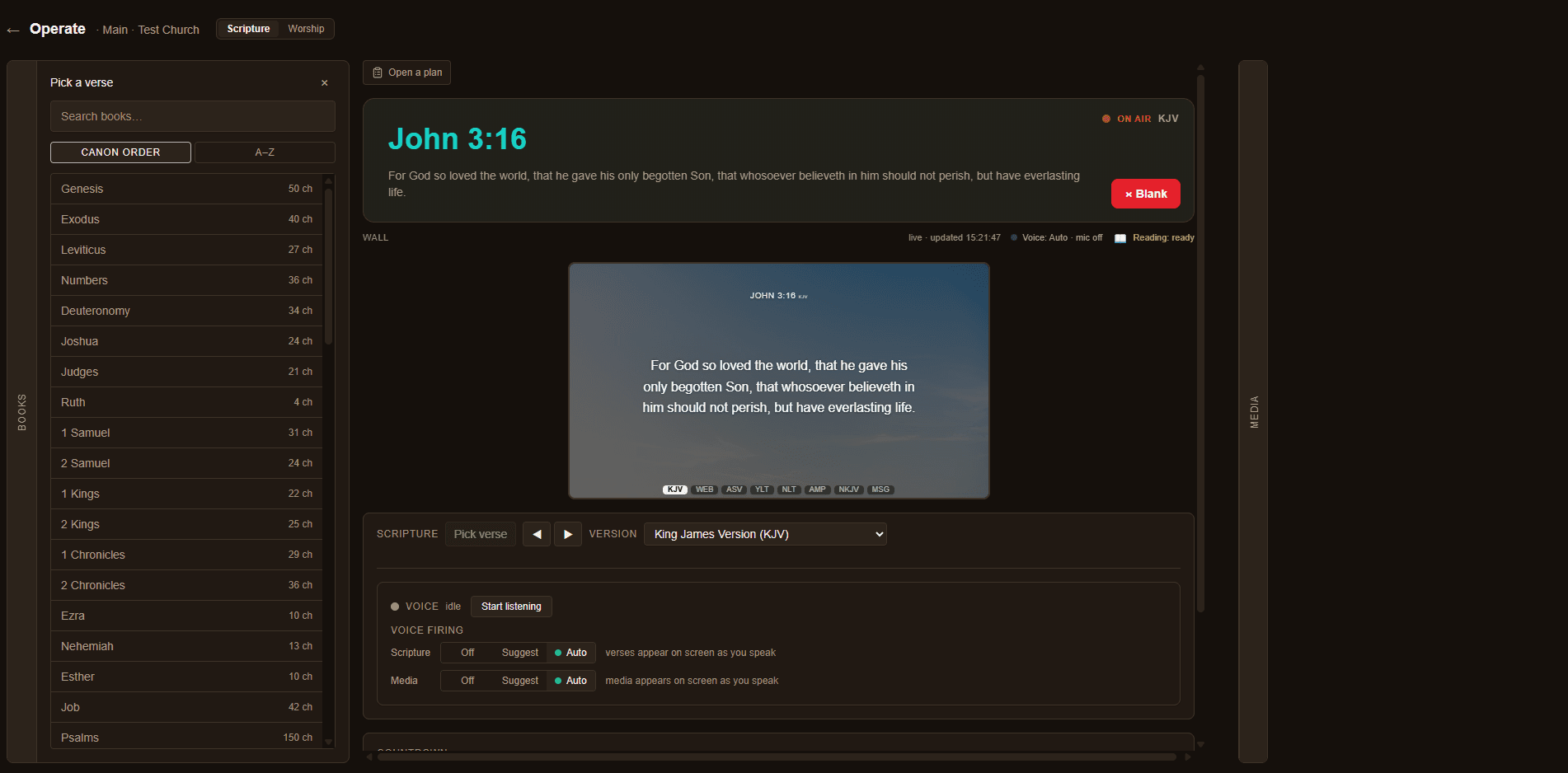
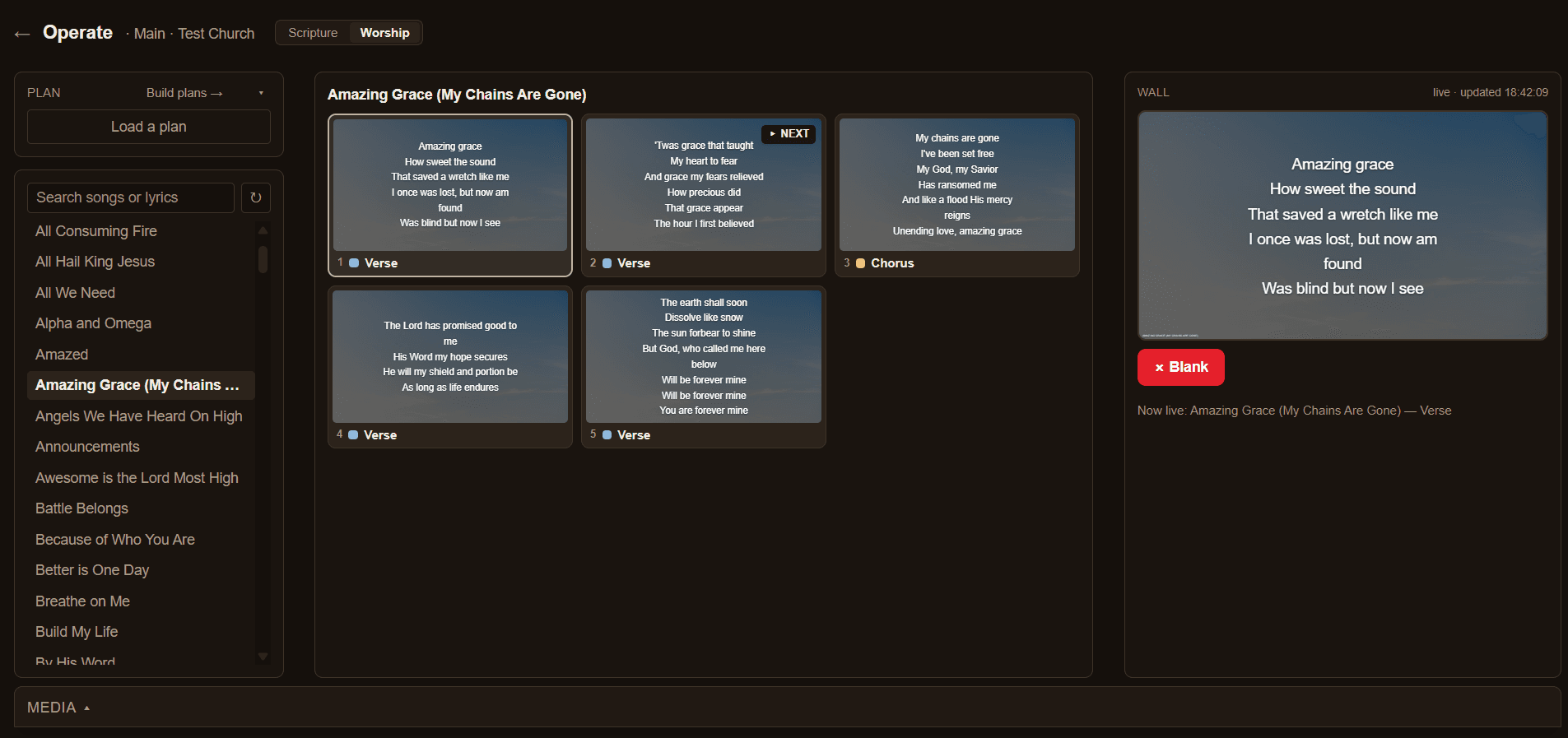
One operator, every screen
One console drives the full-screen projector in your sanctuary and a clean, transparent overlay for your livestream — at the same time, whether it’s a verse or your worship lyrics. Fire once; every screen updates together. No second operator, no separate setup. Dual output is standard, not a premium unlock.
One operator · both screens, at once
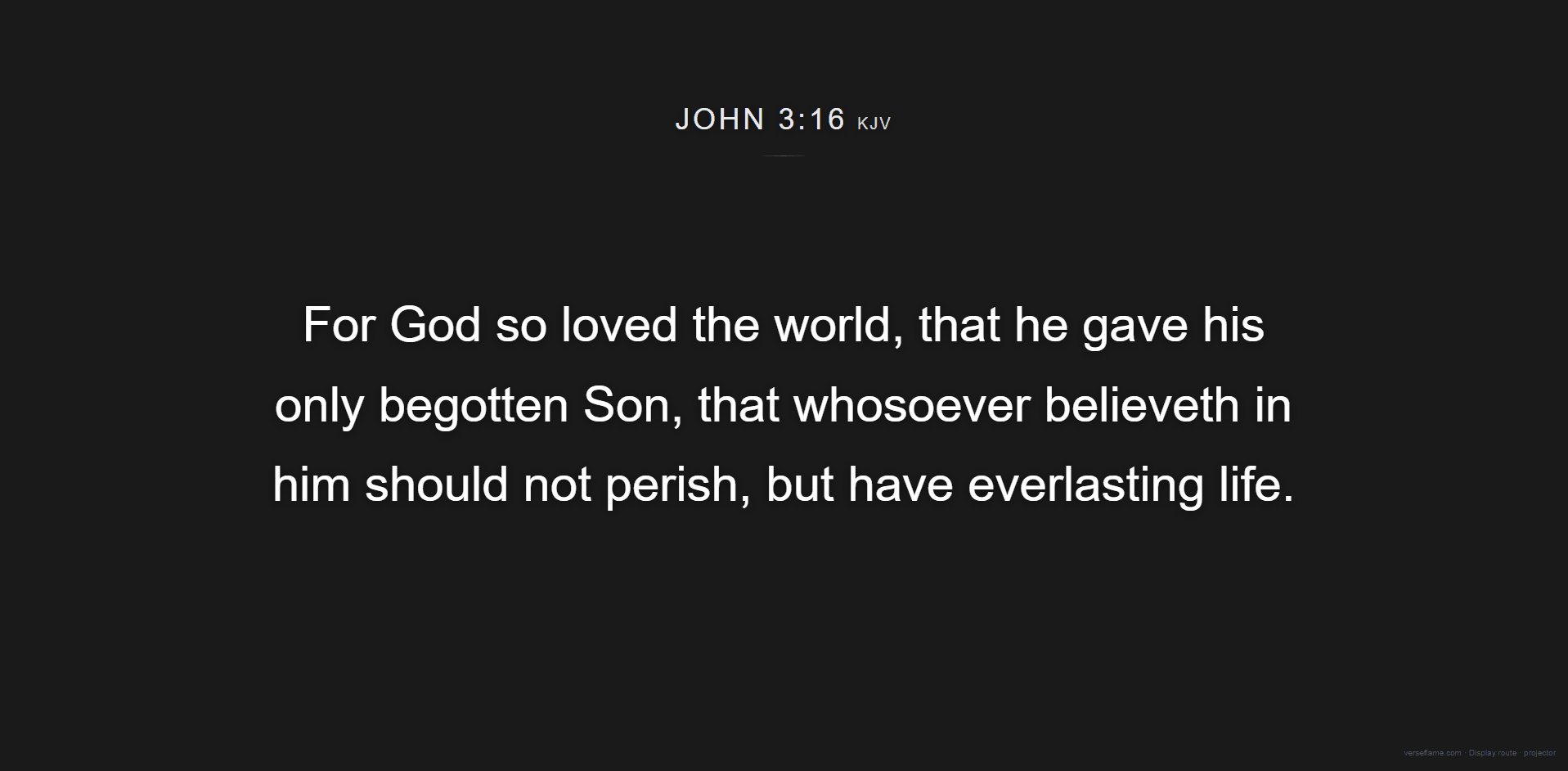

Scripture and song · the overlay carries both
Amazing Grace
Amazing grace
How sweet the sound
That saved a wretch like me
I once was lost, but now am found
Was blind but now I see
The same service — scripture and lyrics — on every screen, from one tap.
Make it yours
VerseFlame arrives in warm candlelight — but the background is yours. Pick a solid color, or upload your church’s own image, and it applies across every display and every campus. No preset gallery to dig through, nothing to theme — just set it once in Settings.
The LORD is my light and my salvation.
Psalm 27:1 · KJV
The LORD is my light and my salvation.
Psalm 27:1 · KJV
Your verse stays crisp and readable over any color or photo.
The browser-native advantage
Log in anywhere and everything’s there — your media, your songs, your giving slide, your settings, voice and all. Nothing to reinstall, nothing left behind on the church computer.
The same service, wherever ministry takes you.
No install, no IT
Sign up right on your phone, and add a photo or video whichever way suits you — upload directly from your phone or computer, or scan a QR to send one over from your phone without a cable. Then open your display on the sanctuary projector, a laptop, or a TV, and run the service from the room’s computer. Nothing to download, nothing to configure — you’re presenting in minutes.
Everything on screen
Build the order of service in advance — songs, scripture, media, and notes, in the order you’ll run them. Save the plan, load it in the console, and run the service start to finish.
Set a “Service starts in 5:00” screen before you begin — pick the time, and it counts down on screen so the room knows when to gather.
Clip a YouTube link to the moment, snap a photo from your phone, upload a video — staged in your library, fired with a tap or your voice.
NLT, KJV, AMP, NKJV, MSG and a growing catalog — switch by voice or picker, mid-verse.
Full song-lyric presentation — arrange your set, put the words on screen slide by slide, ready for the band. Bring songs in from FreeShow, OpenSong, your CCLI SongSelect files, or a text file — or just paste them.
A separate, simultaneous service for each location — its own screens, its own state.
It just works
That’s the install. No downloads, no setup, no IT ticket.
One link for the projector, one for your livestream overlay. Paste, and they’re live.
Speak, tap, or type — scripture, lyrics, and media on screen, right when you need them.
Pricing
Every plan starts with a 30-day free trial — no credit card required. Prices in USD, plus applicable taxes.
Everything a single-location church needs to run worship.
$29 USD/mo
or $24.17/mo billed annually
One church, several locations — every campus runs its own live service.
$69 USD/mo
or $57.50/mo billed annually
A growing multi-site church — one worship system across every location.
$149 USD/mo
or $124.17/mo billed annually
For church networks and multi-site ministries running worship at scale — with a real person on the other end.
from $249 USD/mo
Custom — pricing scales with your campuses.
Founding churches
Be among the first churches on VerseFlame — founding churches get first access, an extended free period, and founding-member pricing, locked in for good.
We'll only email you about VerseFlame.
Questions